Apple introduces a new Ambient Music widget in iOS 26.4
Play focus and sleep sounds from your home screen.
Ambient Music is one of the hidden gems for iPhone users.
Whether you want background audio for focus, relaxation, or sleep, Ambient Music likely has something for you.
The best part is that it does not require an Apple Music subscription.
That makes it a free, built-in alternative to apps like Endel and Brain.fm, although with a more limited selection of sounds and controls.
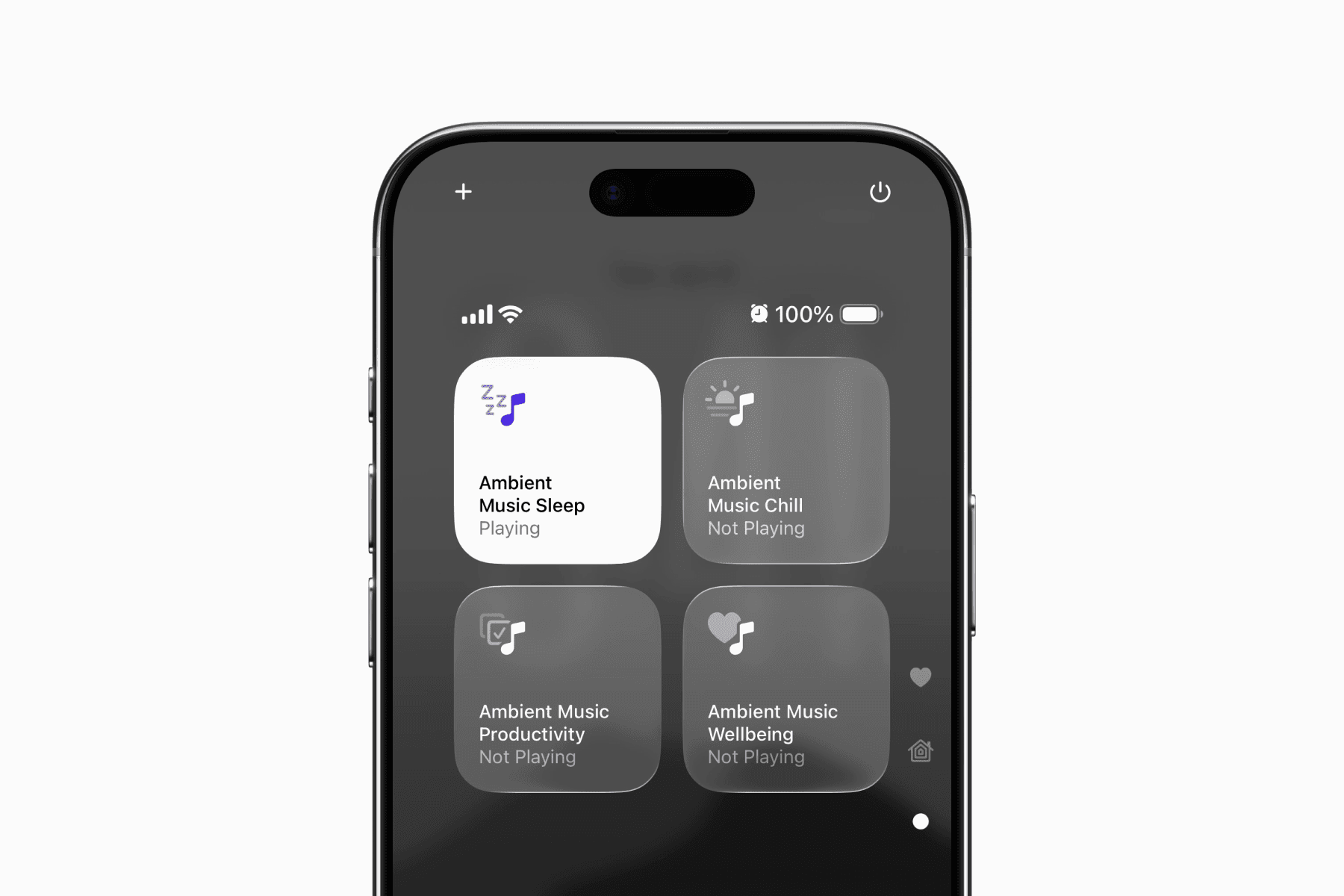
Ambient Music was first introduced in iOS 18.4 as a set of controls that could be added to Control Centre.
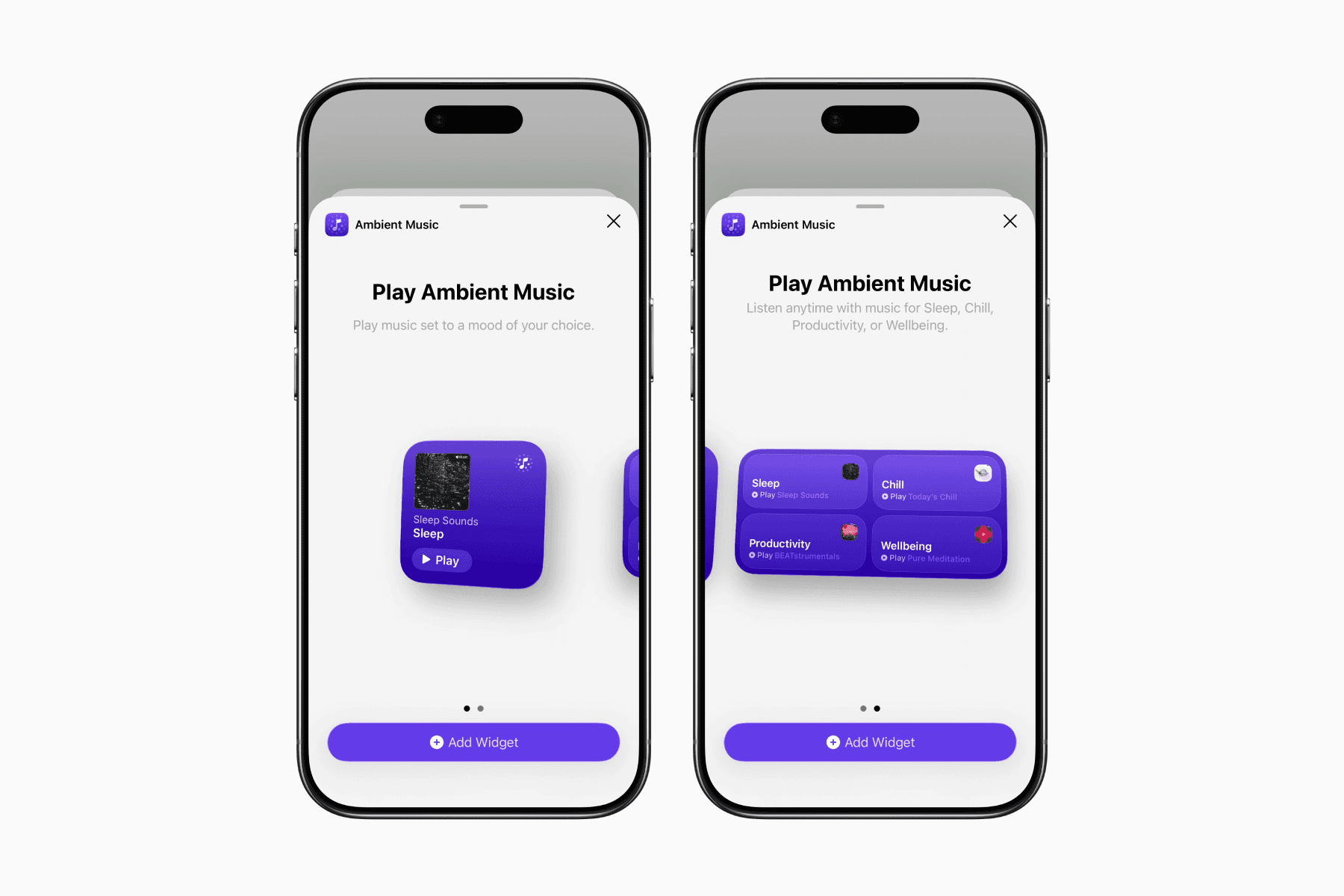
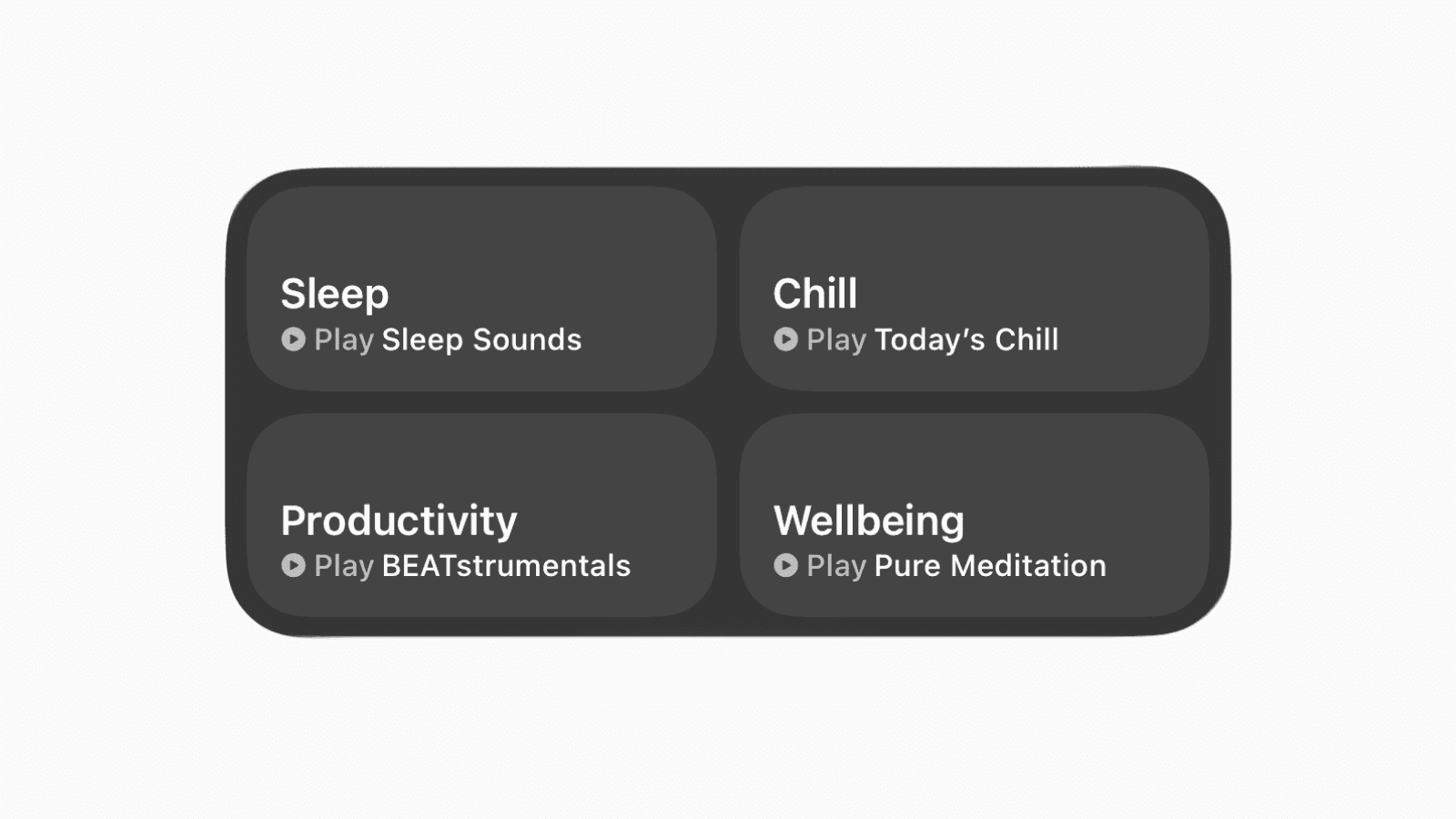
Now with iOS 26.4 and later, it also comes with a dedicated widget, making the feature even easier to access from your Home Screen.
The widget includes the same four playlist moods available in Control Centre: Sleep, Chill, Productivity, and Wellbeing.
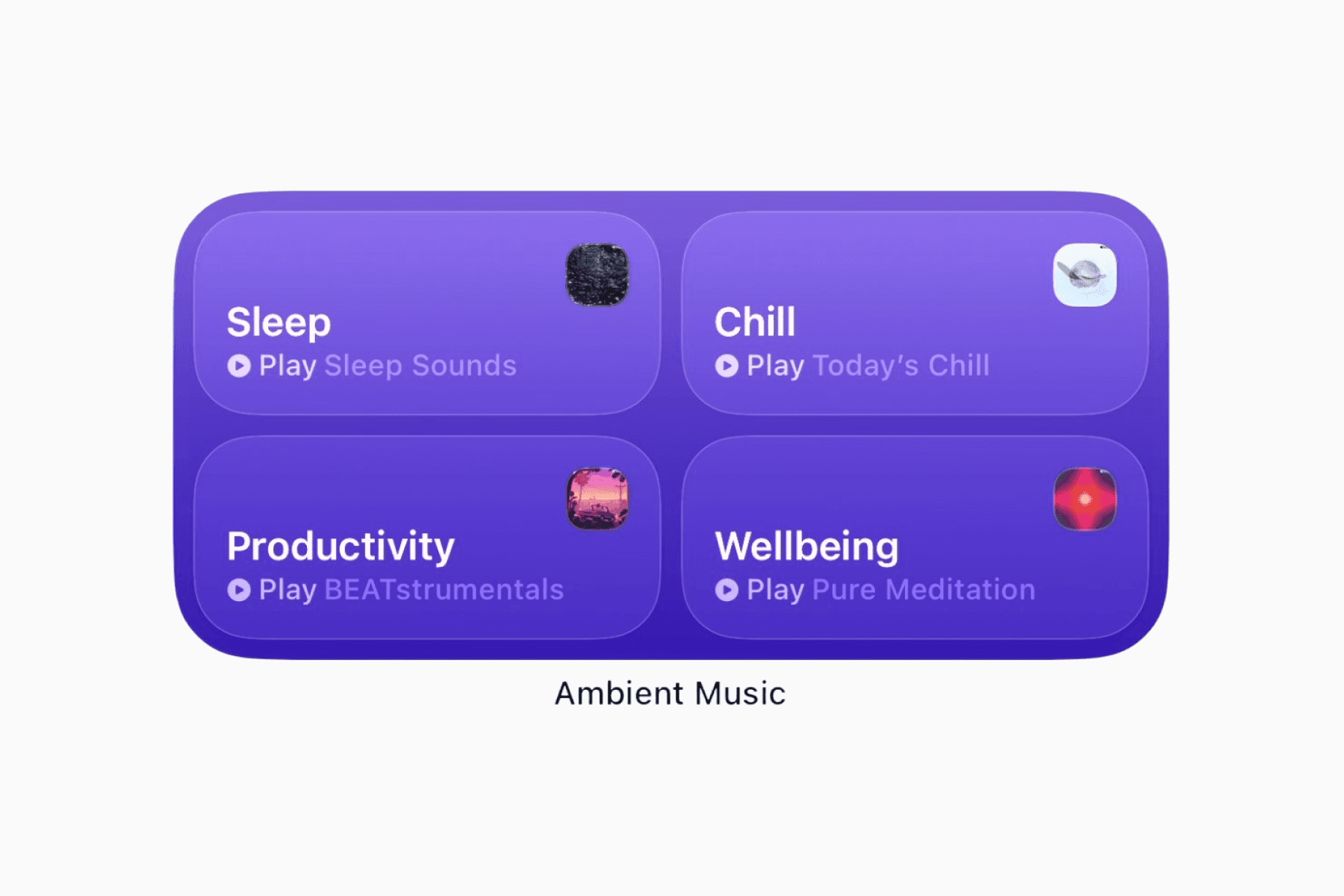
Add Ambient Music to your Home Screen
Press and hold anywhere on your Home Screen until the apps start jiggling.
Tap “Edit” in the top-left corner.
Select “Add Widget” from the edit menu.
Search for “Ambient Music" and tap on it.
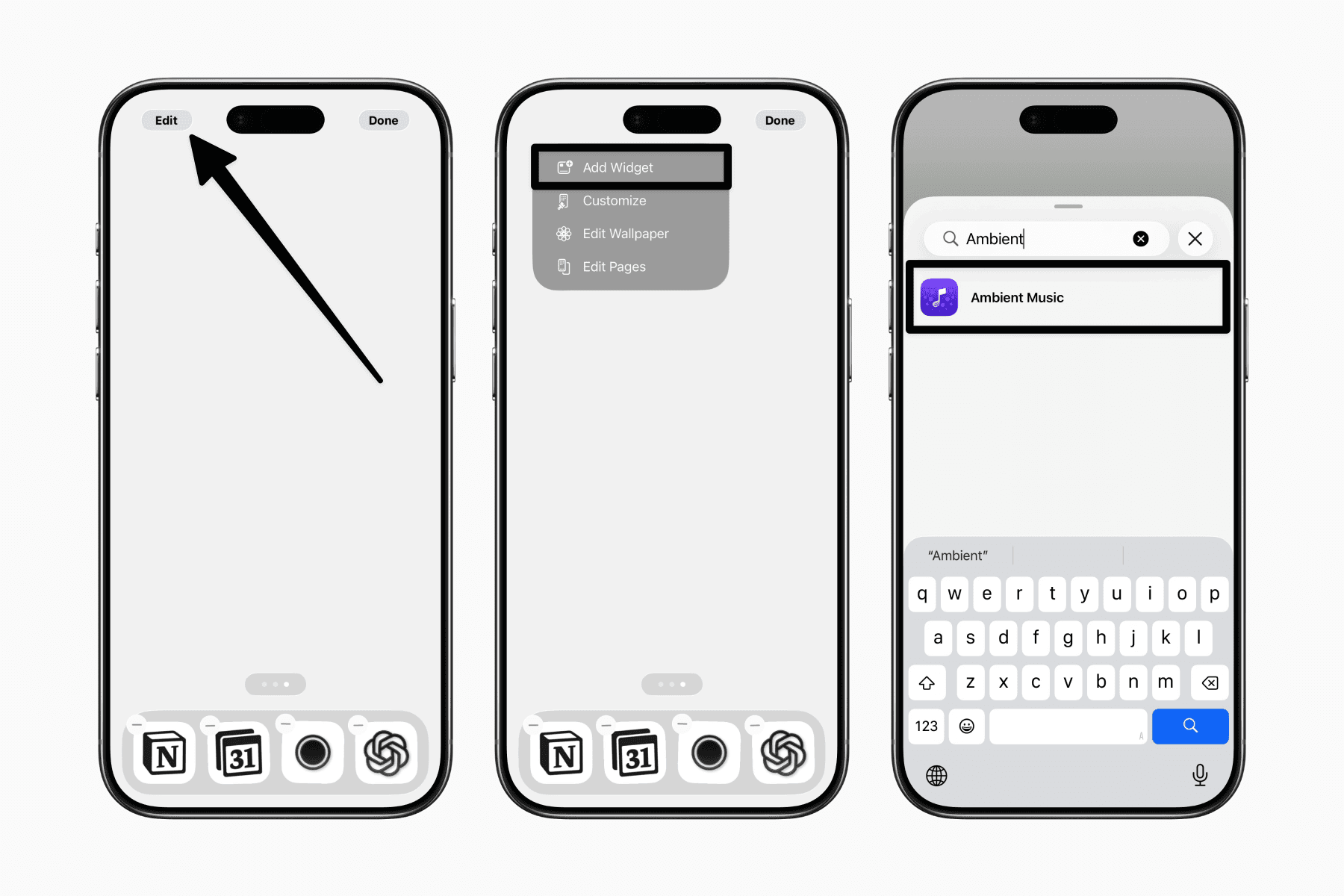
From there, you can choose between a small widget for a single playlist mood or a medium widget that displays all four moods at once.