New Apple wallpaper lets you pick your own colors
Create your own Pride Luminance wallpaper with up to 12 custom colors.
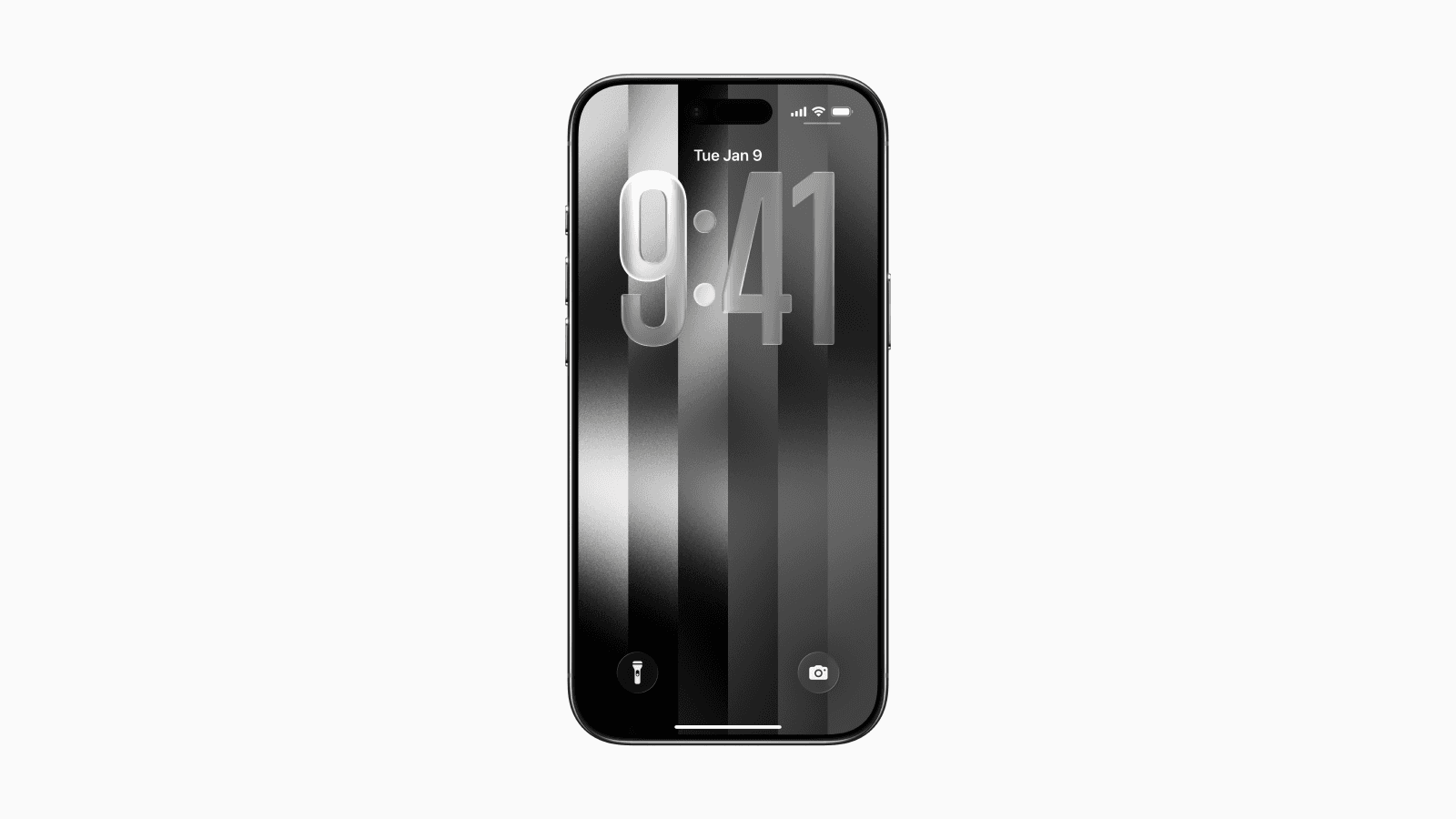
Apple added a new customizable wallpaper in iOS 26.5, and it might be one of the most interesting wallpaper updates in years.
The wallpaper was released as part of Apple’s 2026 Pride Collection.
Unlike most default wallpapers, this one lets you fully customize the color palette.
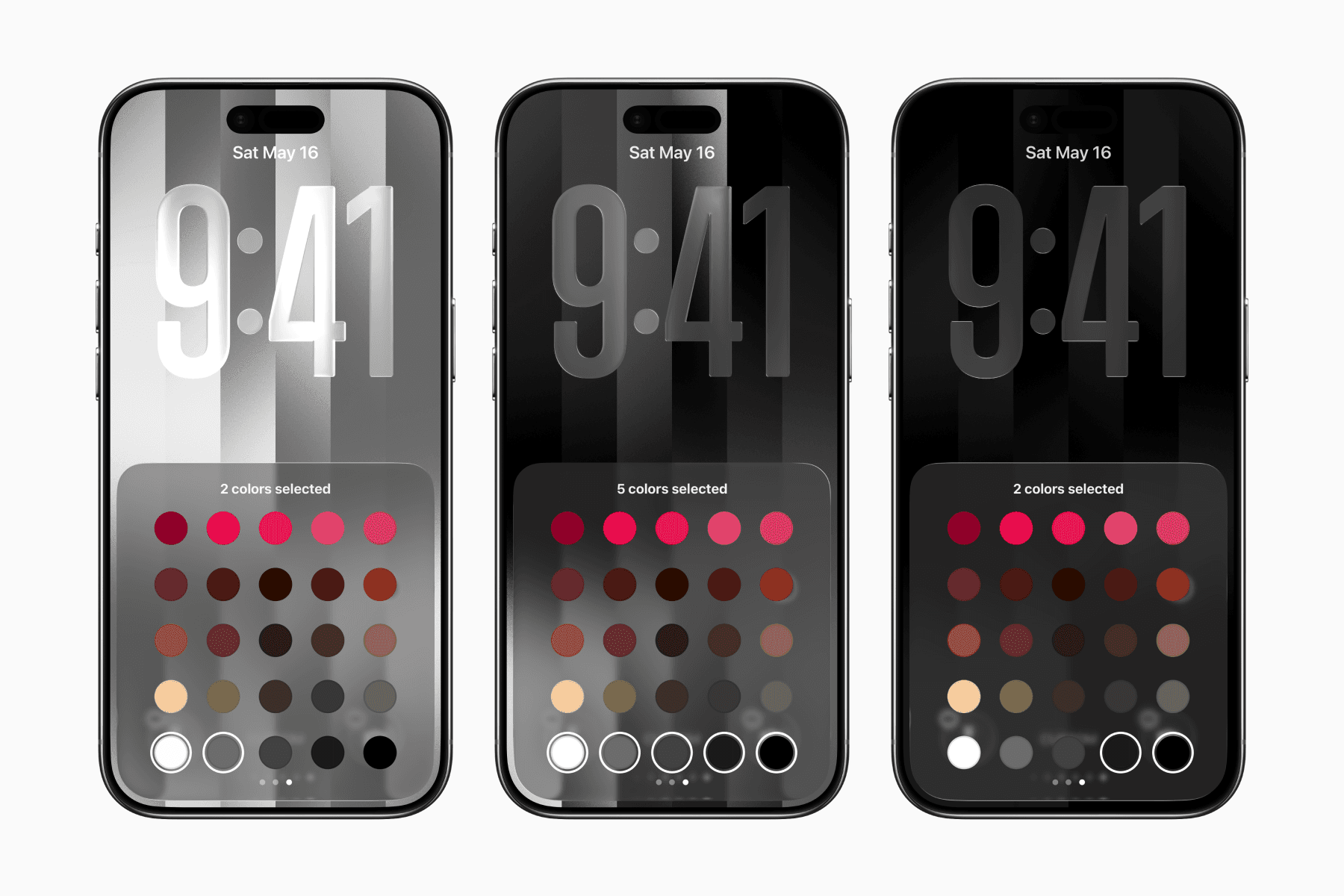
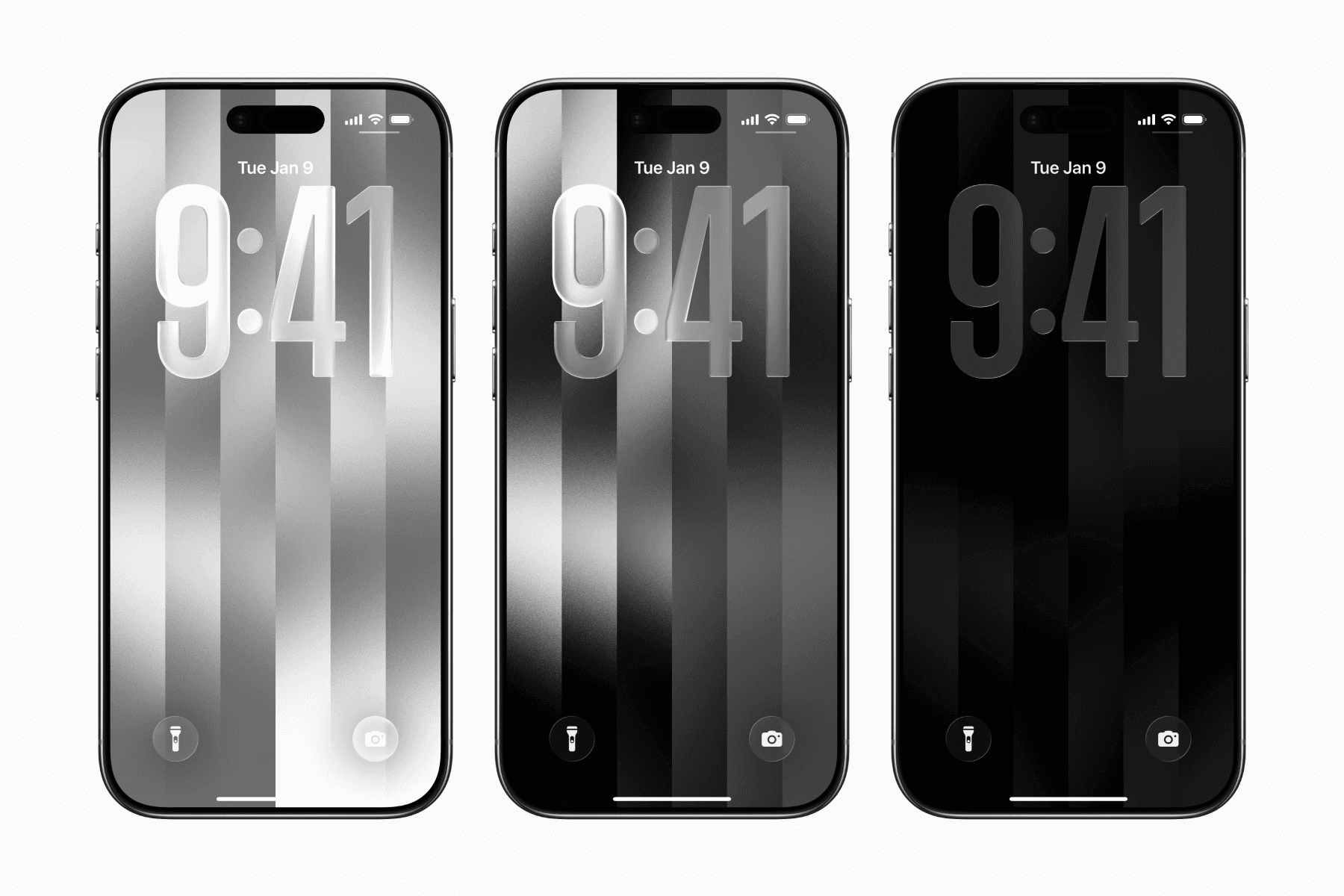
With the grayscale color options, you can create a wallpaper that is perfect for those who prefer simple, monochrome setups.
Before starting, make sure your iPhone is updated to iOS 26.5 or later.
How to get the new Apple wallpaper
Go to Settings > Wallpaper > Add New Wallpaper.
Scroll down to the Pride section and click Get to download the collection of wallpapers.
Select the new Pride Luminance wallpaper.
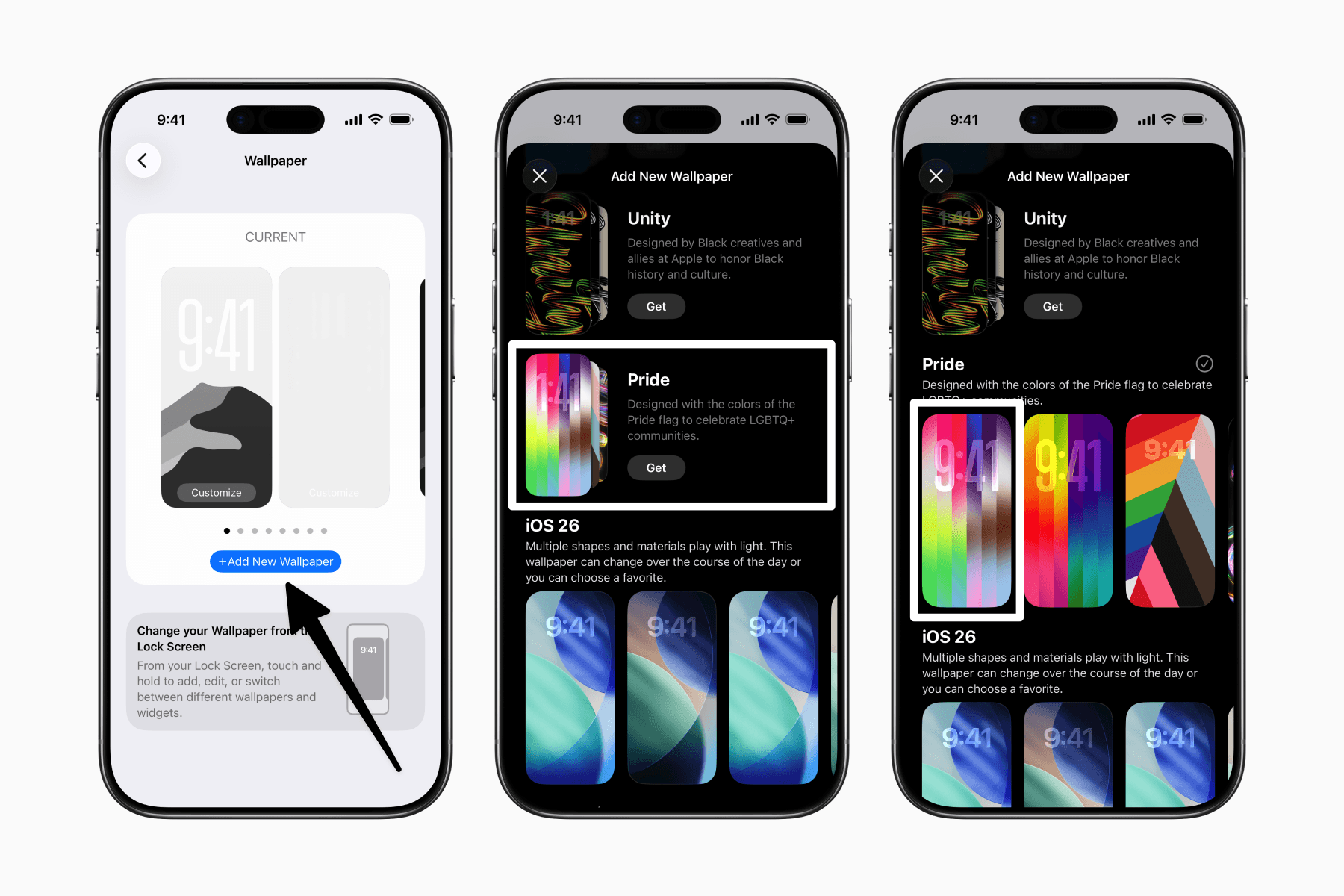
How to customize the new Apple wallpaper
Swipe to the last wallpaper style which will be the Custom option.
Tap the pen icon to open the color picker.
Select or deselect a color by tapping on it.
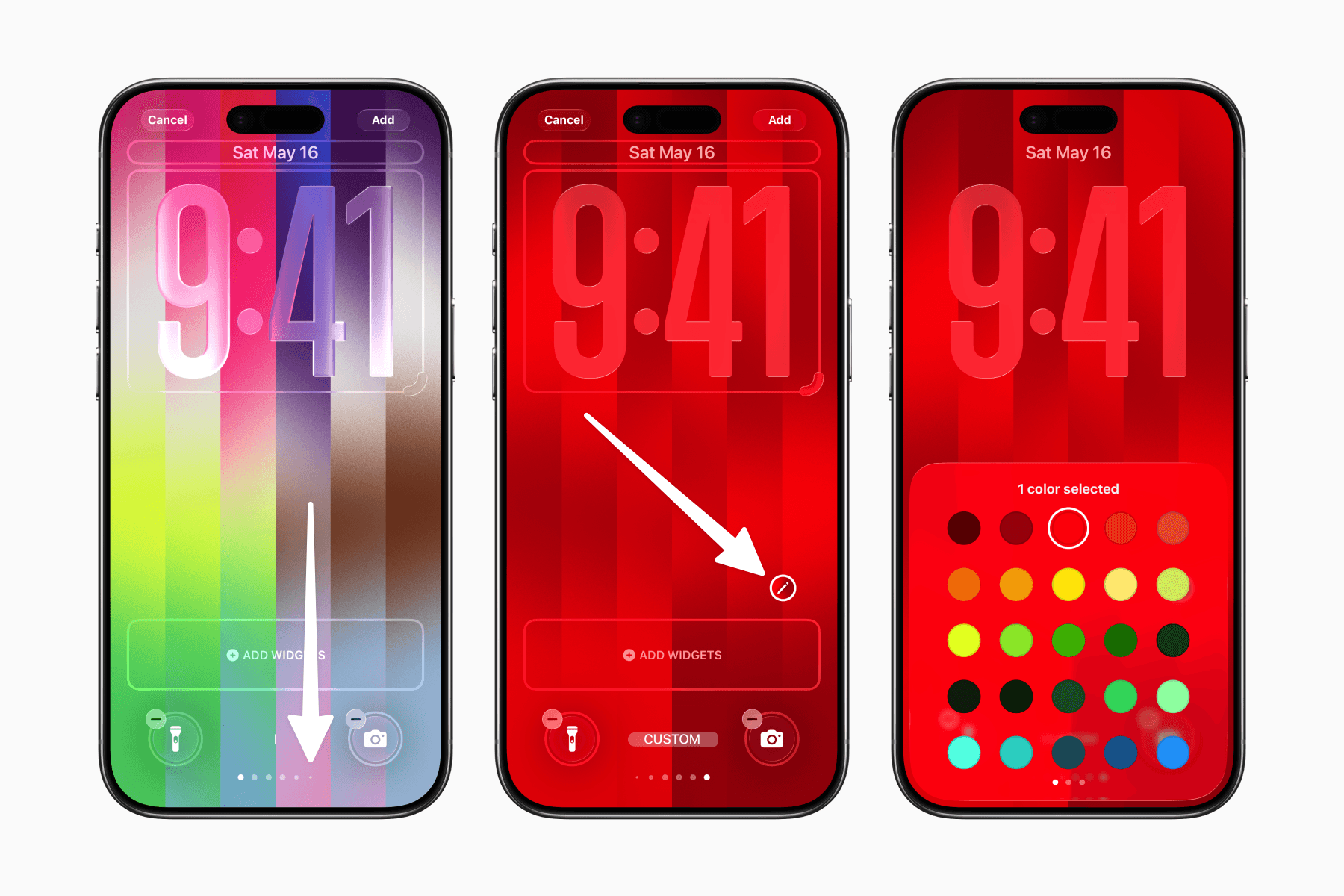
You can create your own color combination using between 1 and 12 colors.