Your iPhone has a built-in "dumb mode"
No additional apps or purchases are required.
Minimalist app launchers and dumbphones are gaining popularity as more people try to reduce distractions.
But before you install another app or buy a second device, it’s worth knowing this:
You can turn your iPhone from a smartphone into a dumbphone.
This is thanks to the Assistive Access feature of iOS, which is designed to help people with cognitive disabilities use the iPhone.
Apple describes that "onscreen items are bigger, features are more focused, and it’s easier to navigate and understand what actions are possible."
This simplified setup aligns with the needs of individuals looking for a less distracting device.
To get started, navigate to Settings > Accessibility and find the Assistive Access option.
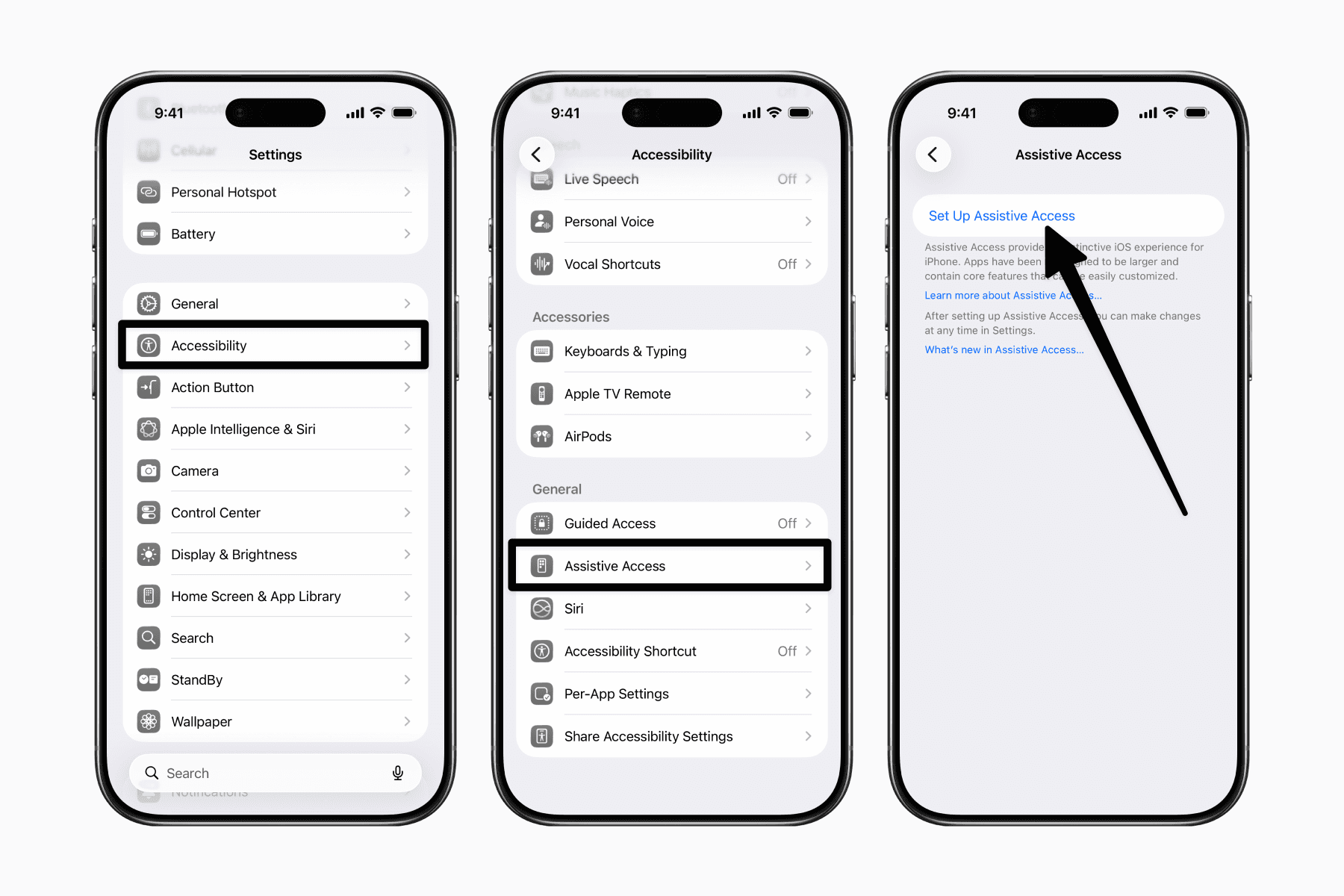
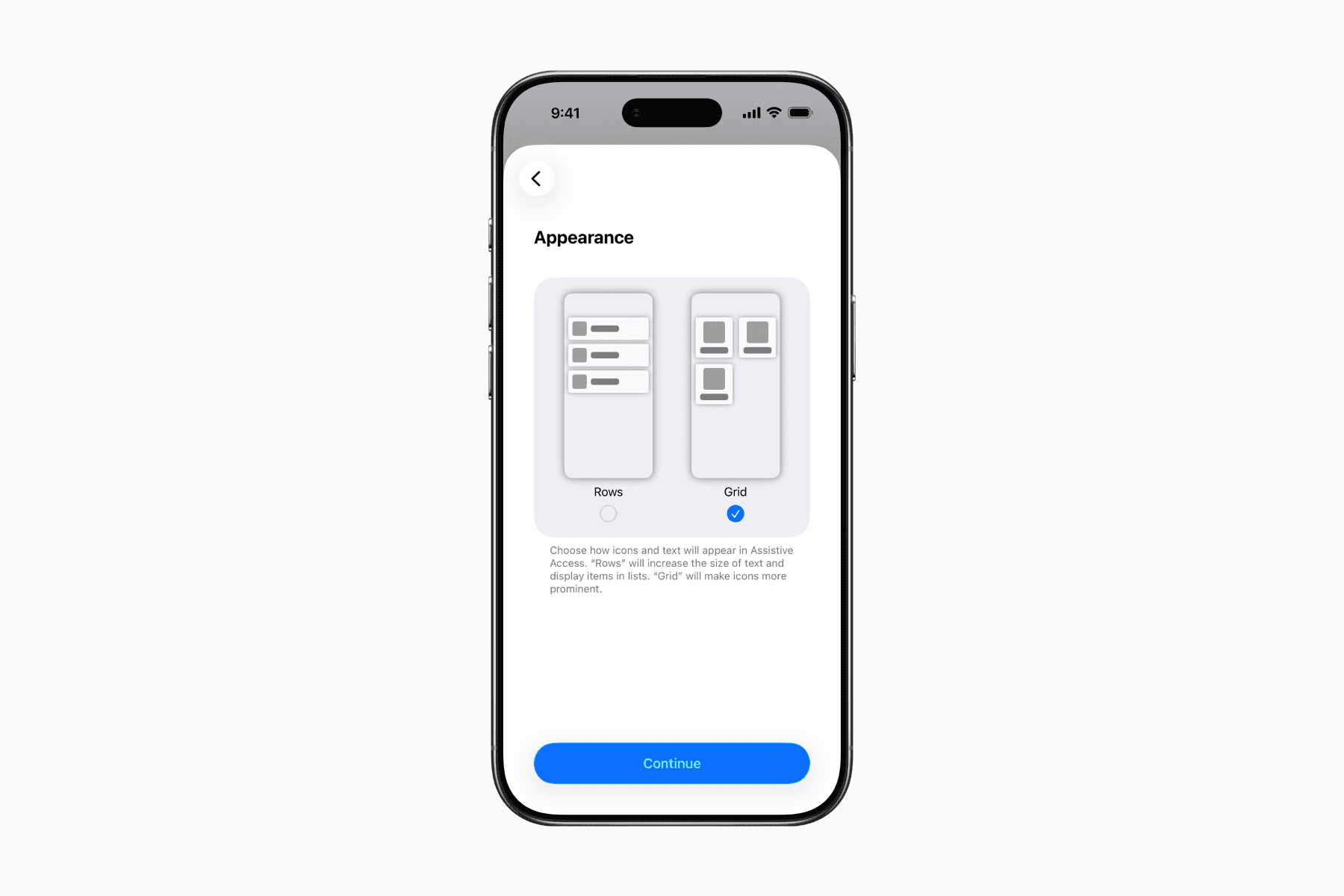
Next, you can choose between a Rows or Grid appearance for your apps.
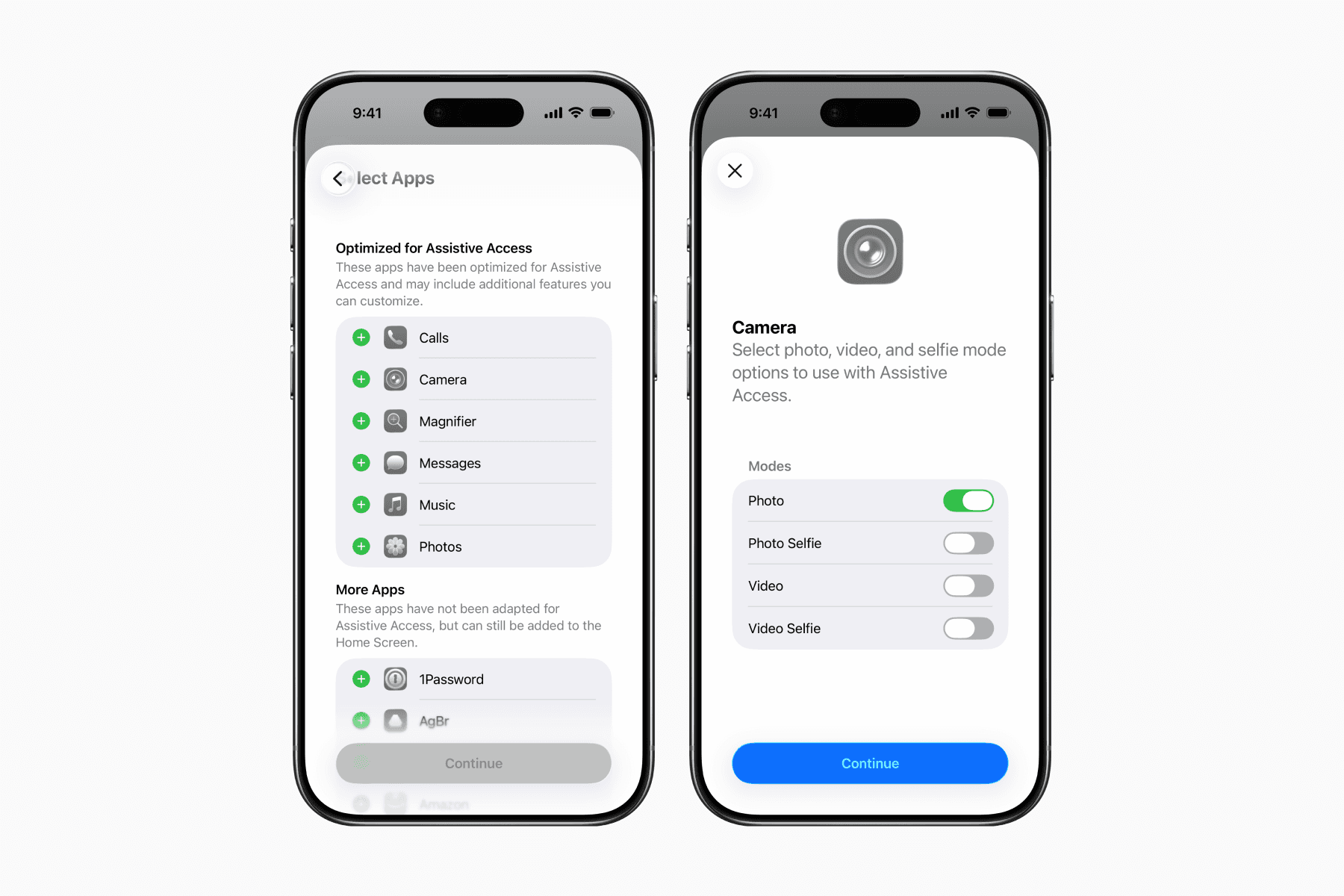
Then you can select from a list of apps that you want to allow access to within Assistive Access.
Once you complete the setup, you can enter Assistive Access or choose to use it later.
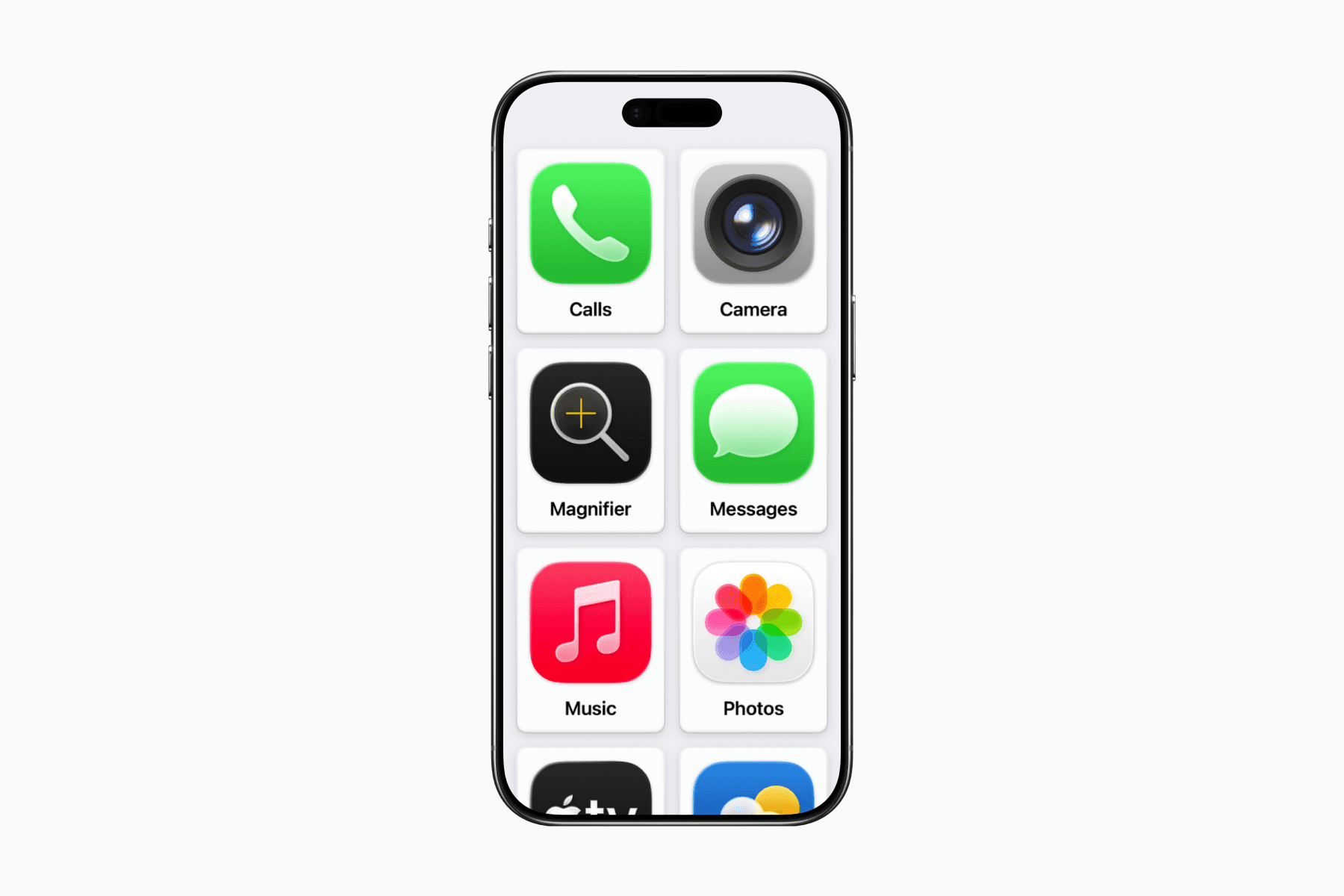
To exit Assistive Access, simply triple-click the power button.
To make any changes, return to Settings > Accessibility and find Assistive Access again.
You can refer to the Assistive Access User Guide provided by Apple Support for a more detailed overview of the setup.