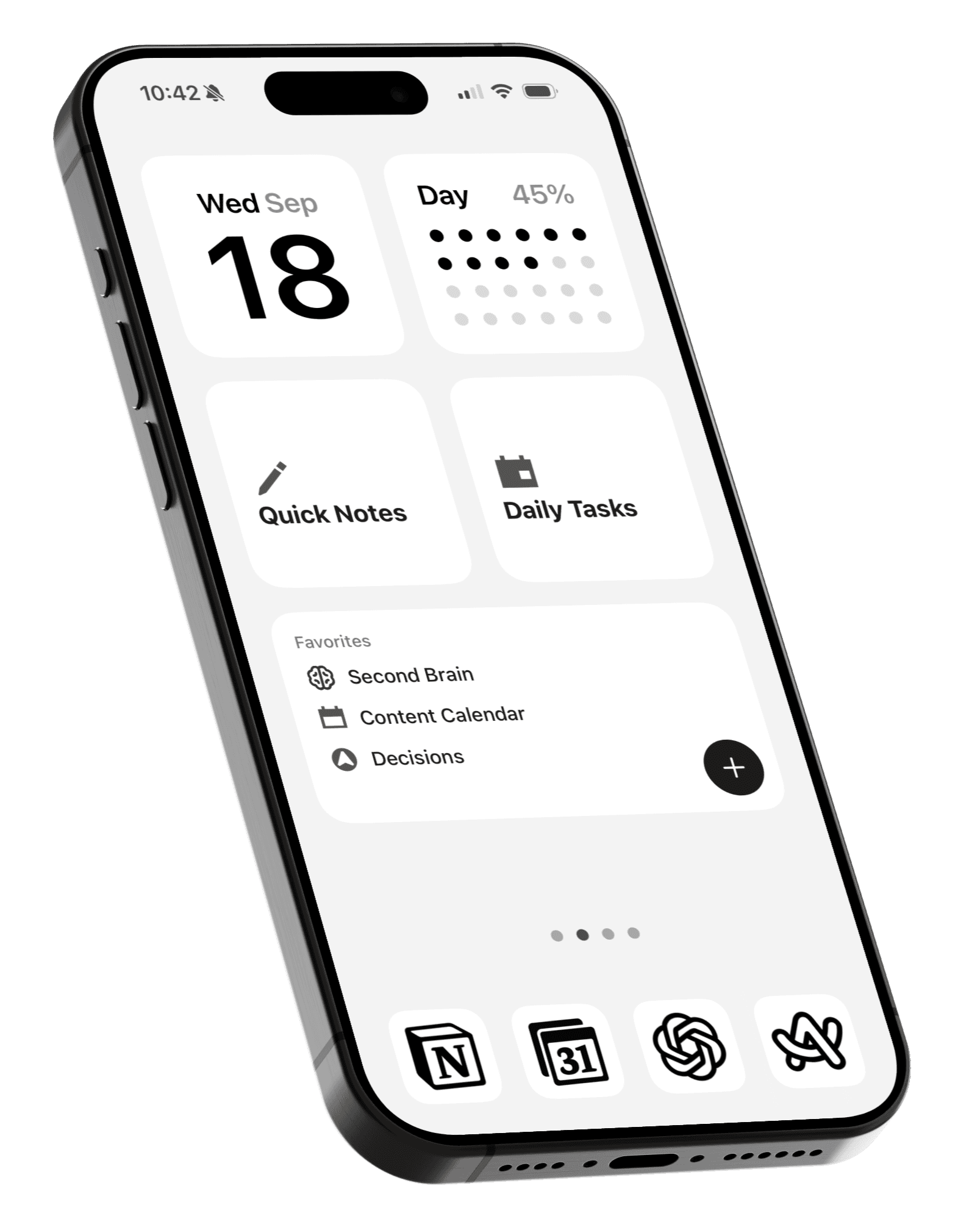
How to use custom app icons on iPhone and iPad
Create a more consistent Home Screen with your favorite icon pack.

Even with the new tinted and glass icon styles in iOS, there are often a few app icons that don't quite fit the rest of your Home Screen.
Using custom app icons from the same icon pack is how you can create a more cohesive Home Screen that fits your style.
How to install custom app icons
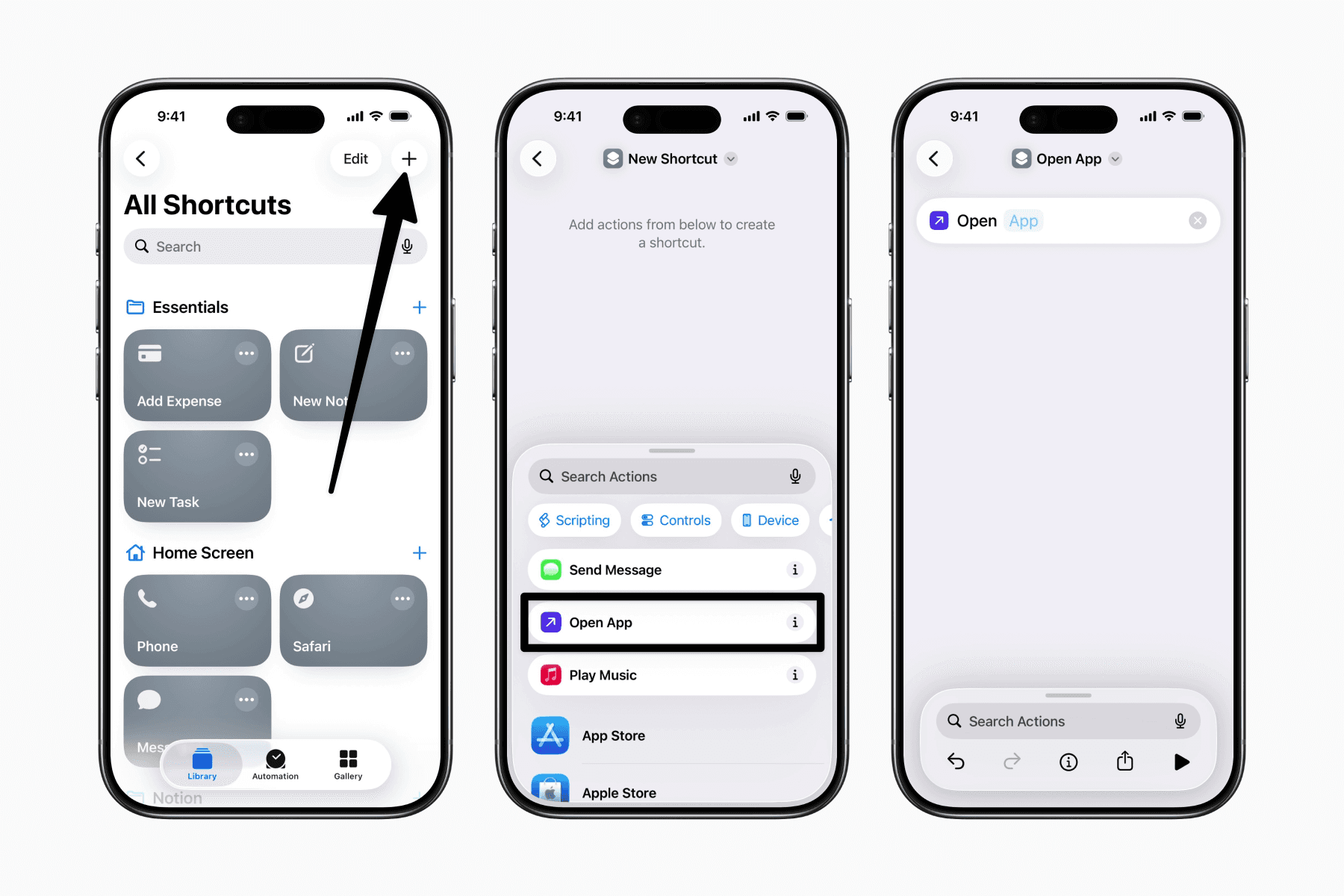
Open the Shortcuts app.
Tap the + button in the top-right corner.
Add the Open App action.
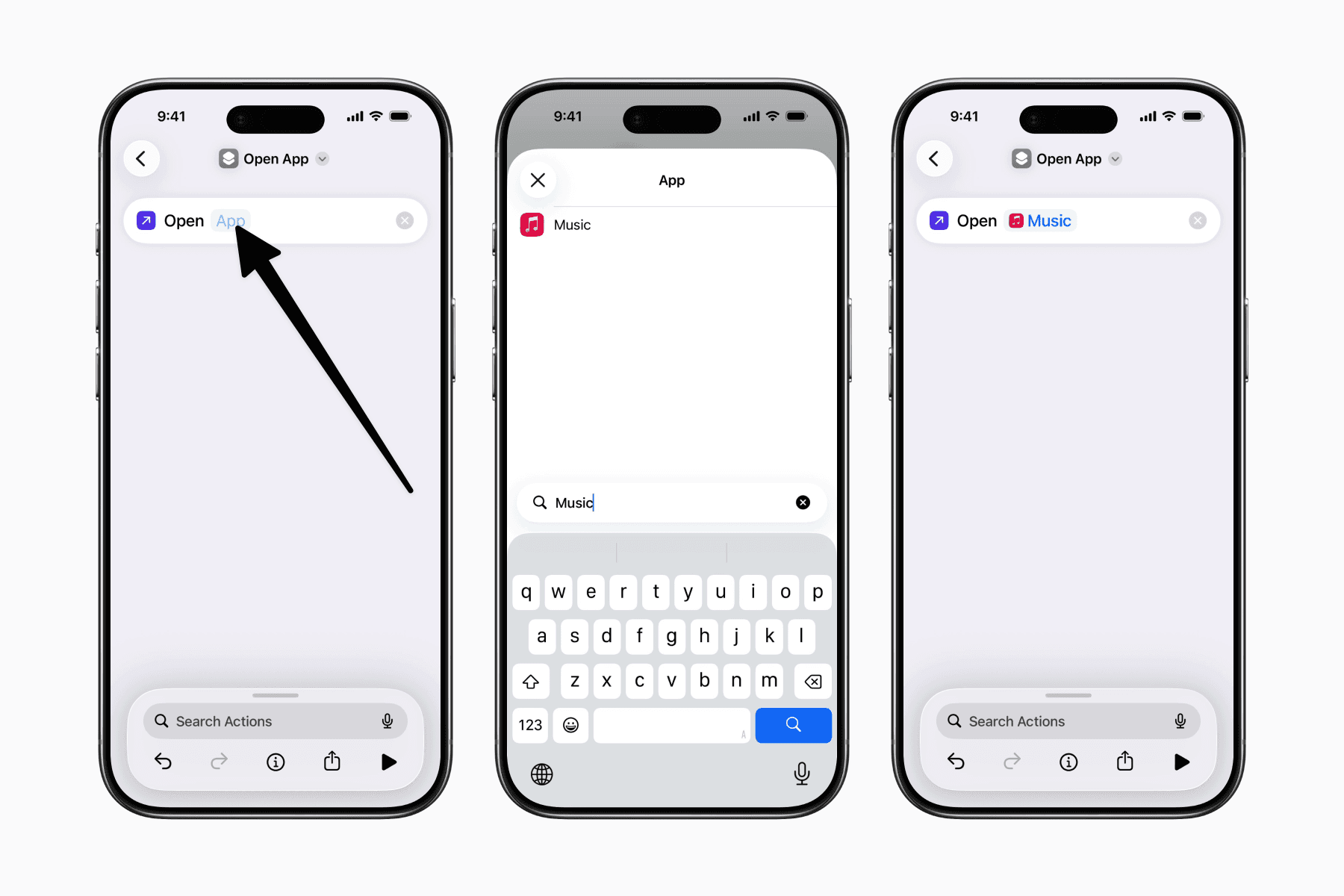
Choose the app you want to assign a custom icon to.
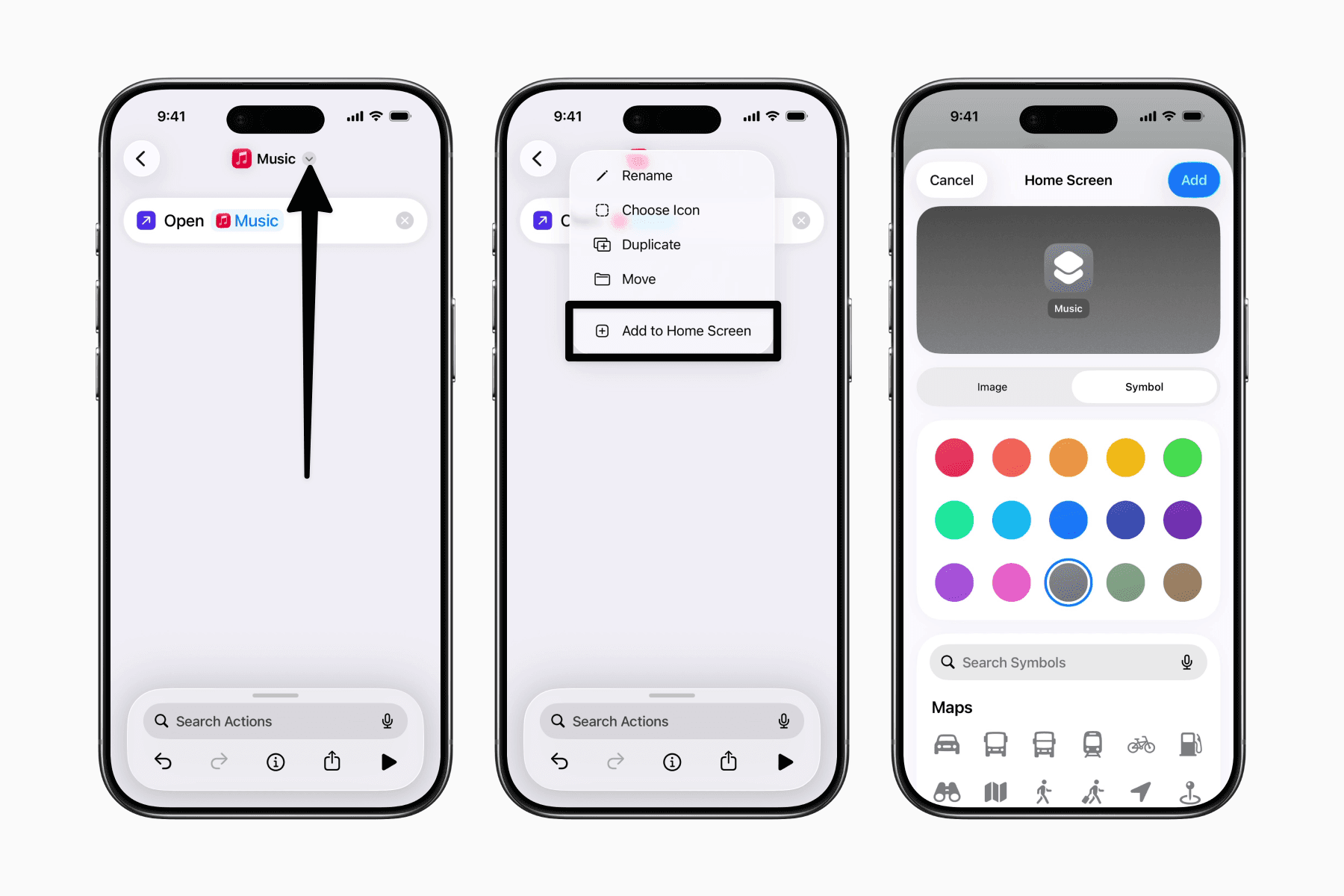
Tap the dropdown arrow next to the shortcut name and rename it to match the app.
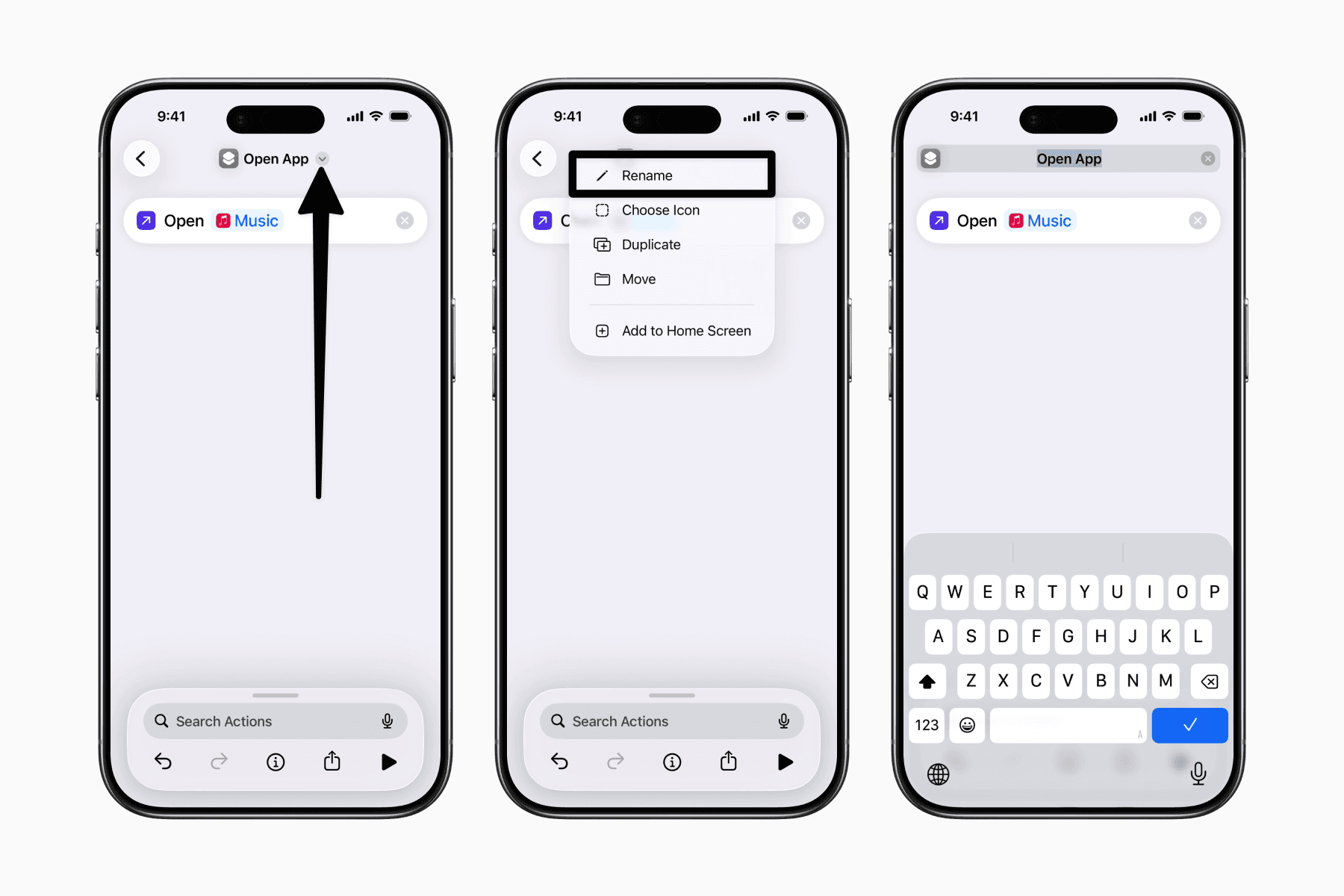
Tap the dropdown arrow again and select Add to Home Screen.
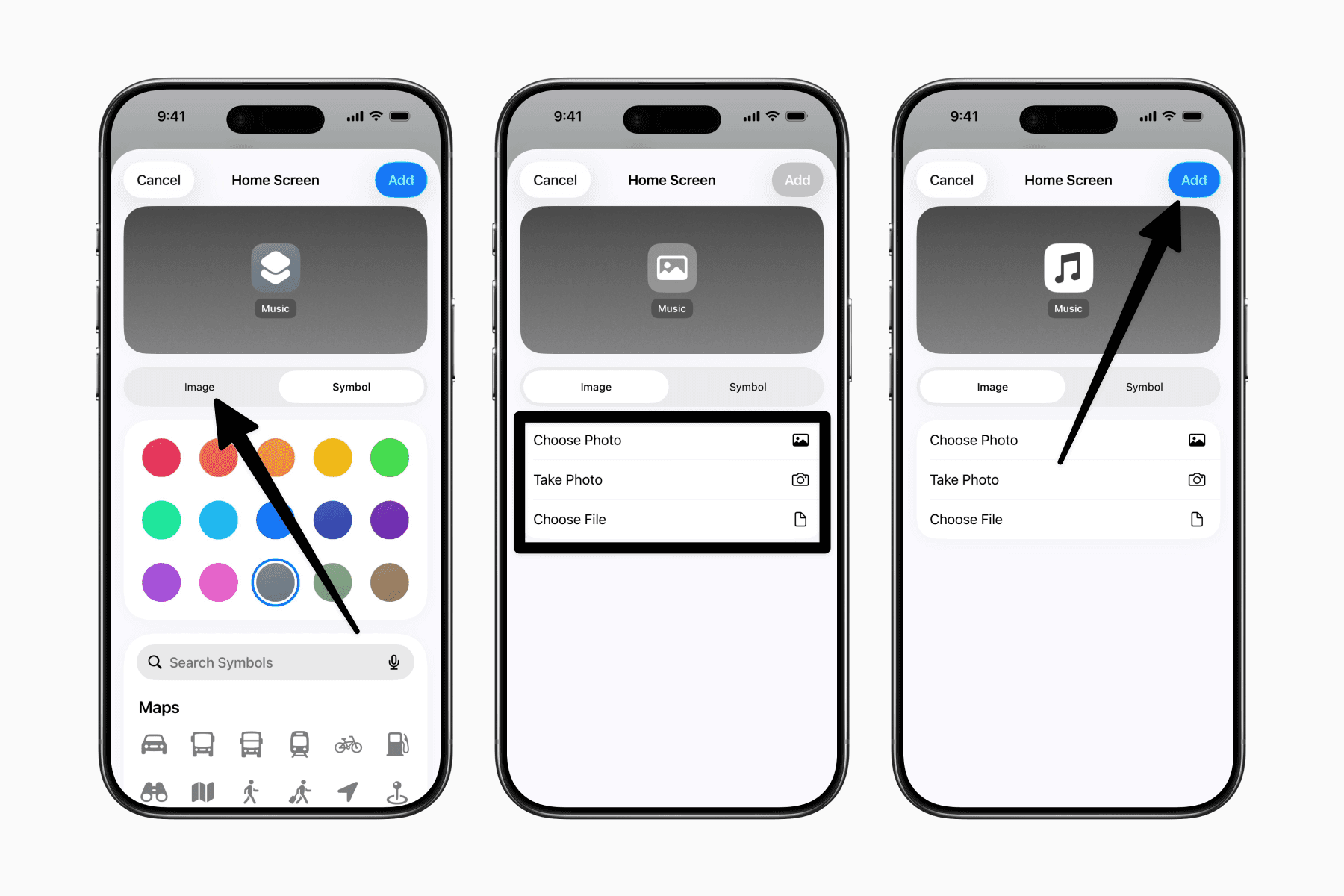
Tap the Image tab (instead of Symbol) and choose your custom icon from the Photos or Files app.
Tap Add in the top-right corner to place the shortcut on your Home Screen.
Hide the original app from search (Optional)
One downside of using custom app icons is that both the original app and the shortcut may appear when searching for the app.
If you'd prefer to only see the custom icon, you can hide the original app from Search:
Open Settings.
Go to Search.
Scroll down and select the app.
Turn off Show App in Search.
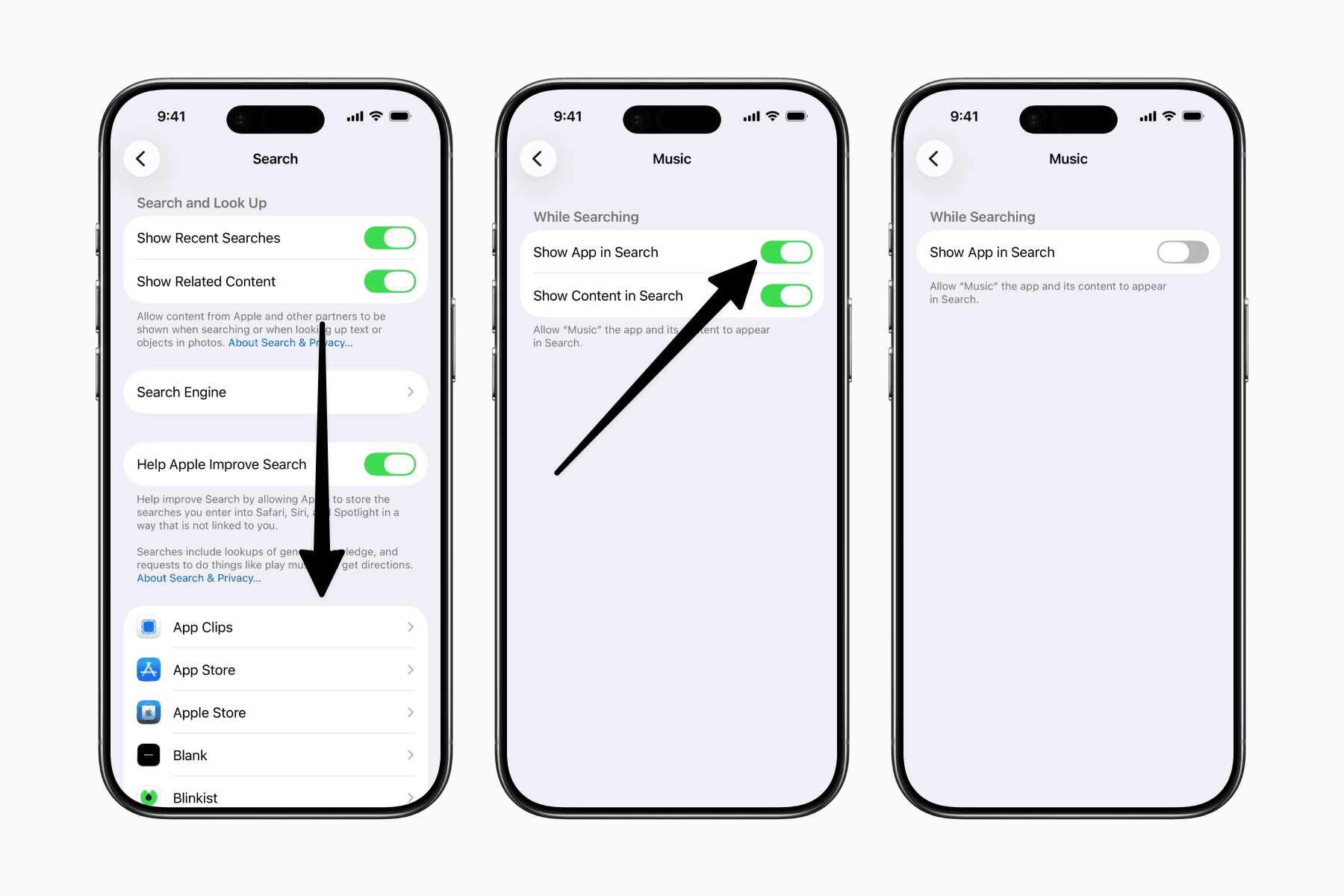
Your original app will still be installed and can be opened through the custom icon, but it will no longer appear in search results.
Final thoughts
Custom app icons won't make your iPhone more productive, but they can make it feel more intentional.
A more consistent Home Screen is often a more calming one, making it easier to see your apps as tools rather than icons competing for your attention.