How to lower your iPhone brightness even more
Turn on this iPhone setting to make your screen even dimmer.
Still find your screen too bright, even at the lowest brightness?
There’s a hidden iPhone setting that makes your screen even dimmer, Reduce White Point.
By reducing the intensity of bright colors, it makes your screen much easier on the eyes, especially at night.
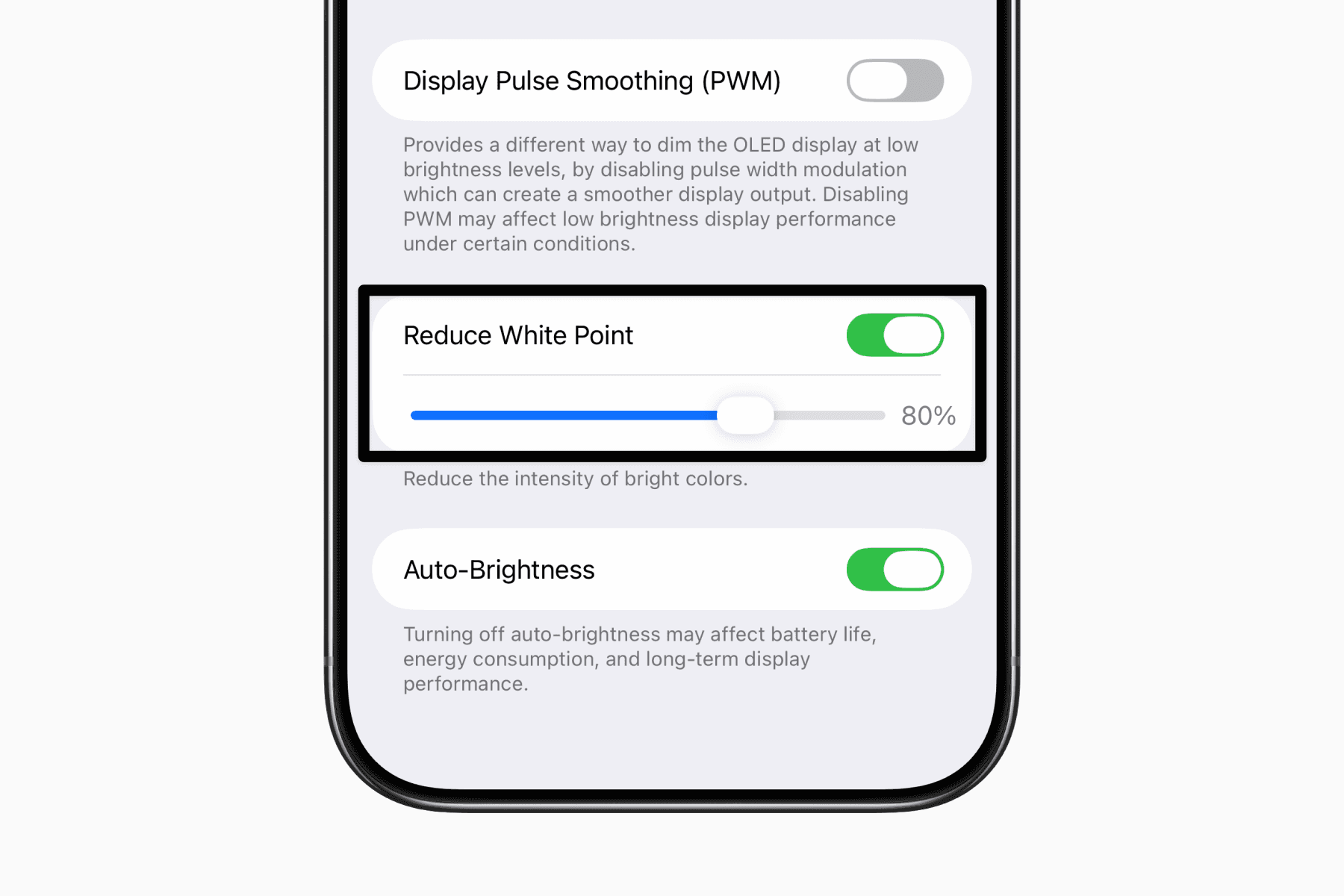
How to turn on “Reduce White Point”
Open Settings
Go to Accessibility
Tap Display & Text Size
Turn on Reduce White Point
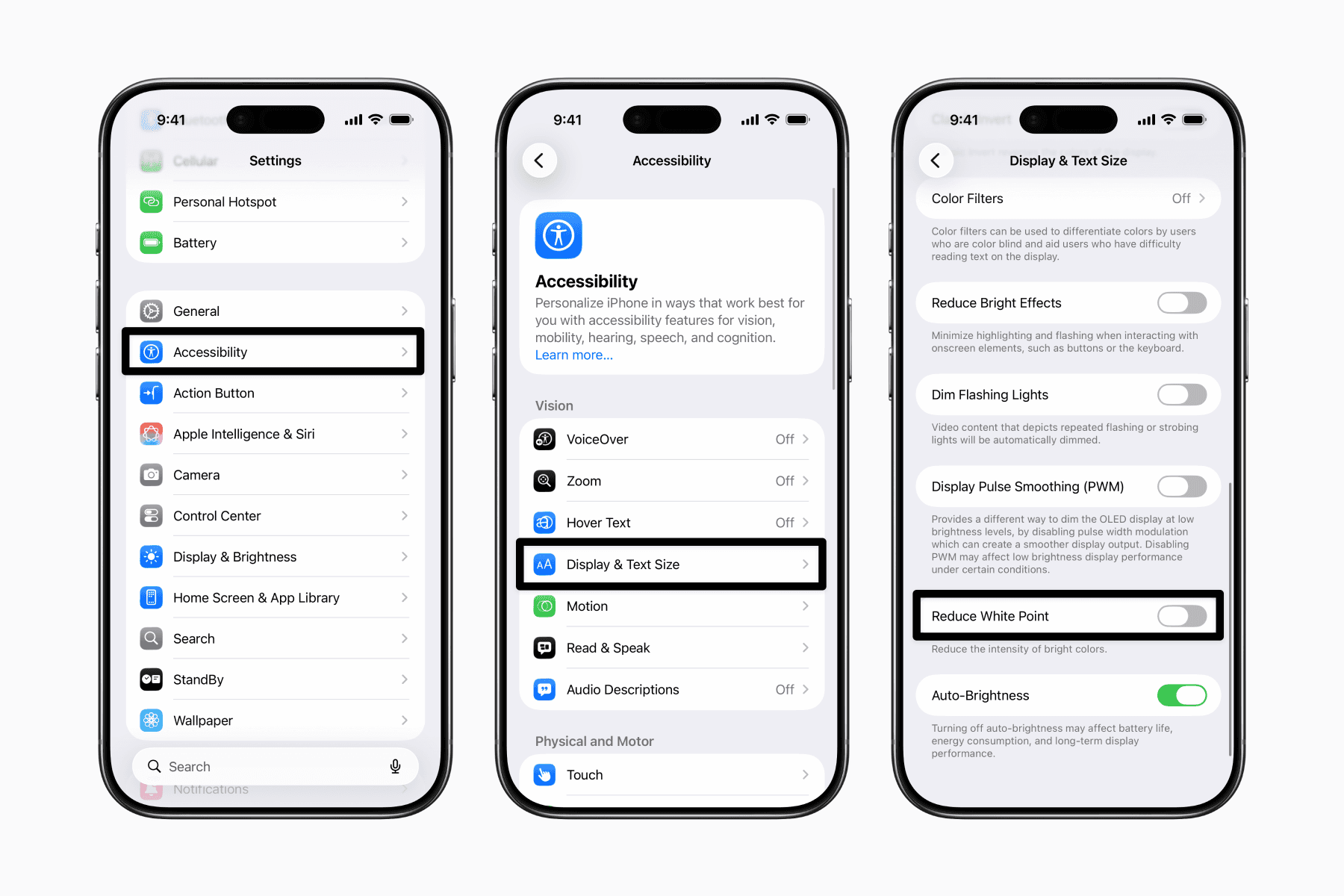
Once toggled on, you also have a slider to adjust the intensity to your comfort level.
Set "Reduce White Point" as a shortcut.
If you plan to turn this on and off frequently, such as between day and night, you can set it as an Accessibility Shortcut.
Open Settings
Go to Accessibility
Scroll down and tap Accessibility Shortcut
Select Reduce White Point
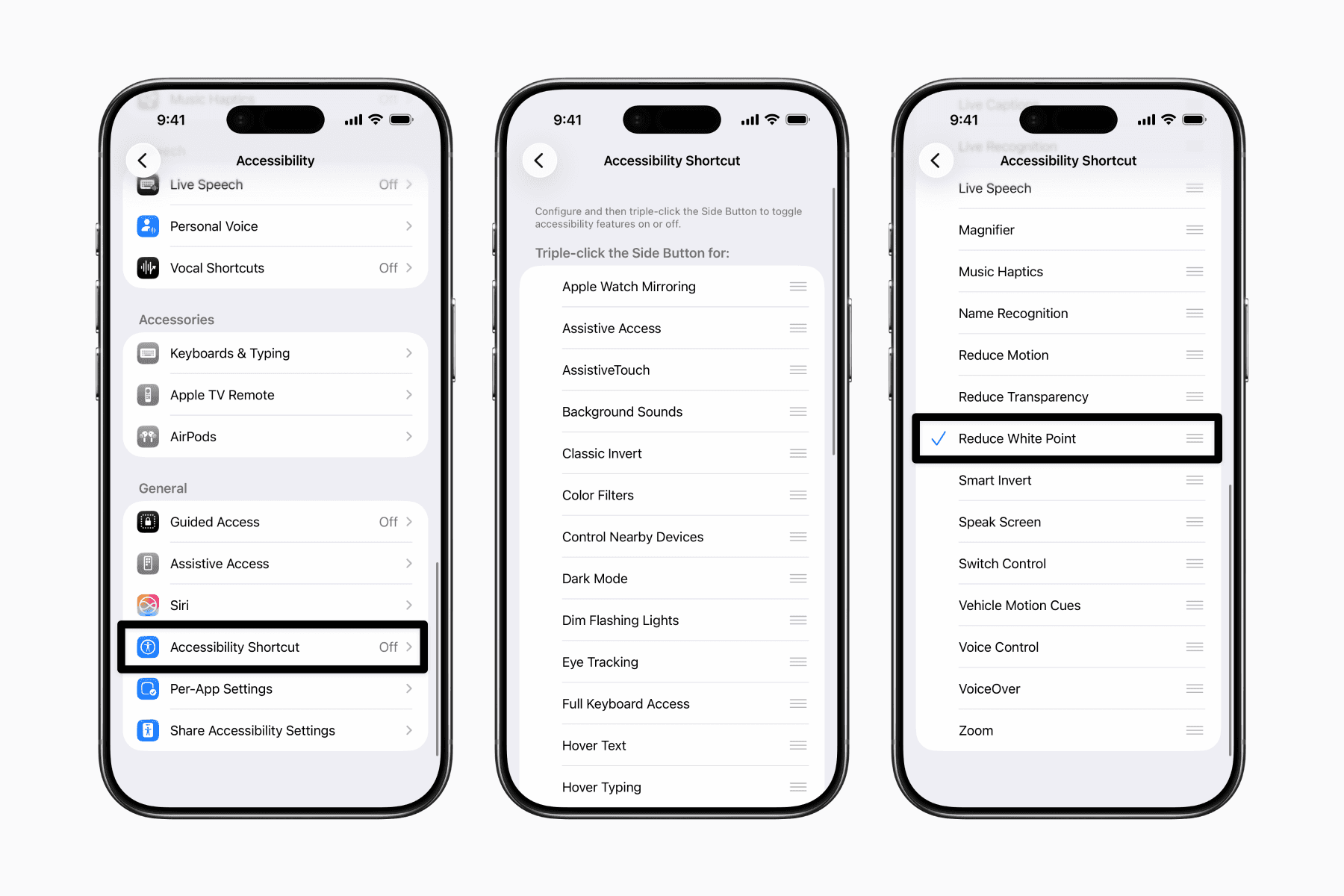
Now, you can toggle it anytime by triple-clicking the side button (or Home button on older iPhones).