How to hide distracting website elements in Safari
Remove pop-ups, banners, and other visual clutter for a cleaner browsing experience.

Safari has a built-in feature that allows you to hide distracting items on a website.
It's called Hide Distracting Items and is available in Safari on iOS 18 or later, iPadOS 18 or later, and macOS Sequoia or later.
You can remove things like ads, cookie banners, newsletter sign-up forms, and chat buttons.
That said, Apple notes that the feature works best with items that don't change regularly, so it may not permanently hide ads or other elements that refresh often.
How to hide distracting items
Open a webpage in Safari.
Tap the Page Menu button in the search field.
Tap Hide Distracting Items.

Tap the item you want to hide. A border will appear around the selected item.
Tap anywhere within the selected item to hide it.
Repeat for any other items you want to hide.
Tap the checkmark icon in the search field to save your changes.

Hidden items should remain hidden the next time you visit the same webpage, although elements that refresh regularly may reappear.
How to show hidden items
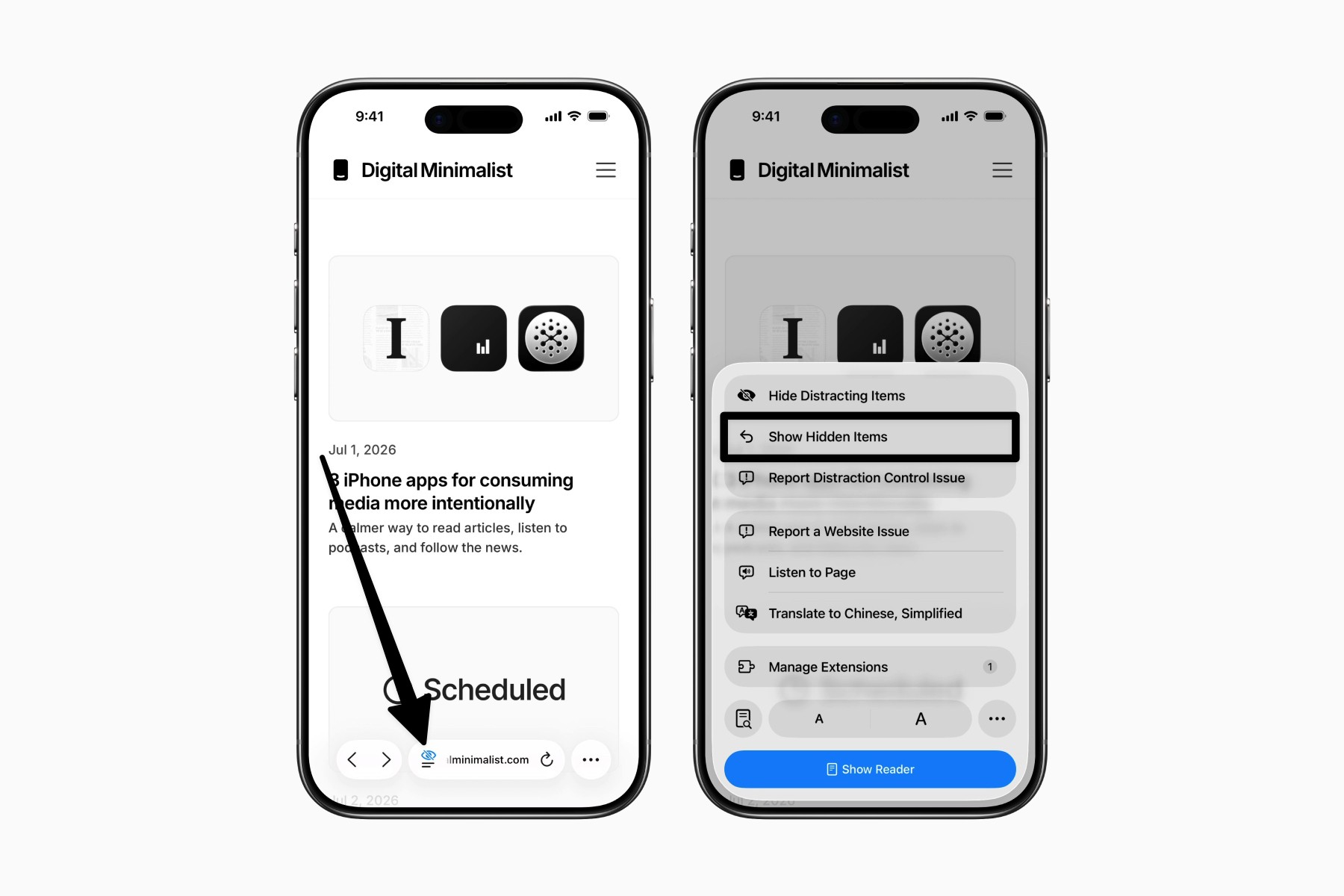
When a webpage contains hidden items, Safari displays an eye icon with a slash next to the Page Menu button.
Open the Page Menu and choose Show Hidden Items.
Final thoughts
This feature is especially useful for websites you visit often that have small distractions in certain parts of the page.
Unlike Show Reader, which can remove more of the webpage than you want, Hide Distracting Items leaves the rest of the page unchanged.
It's a simple feature, but one that can make the webpage feel a little calmer.